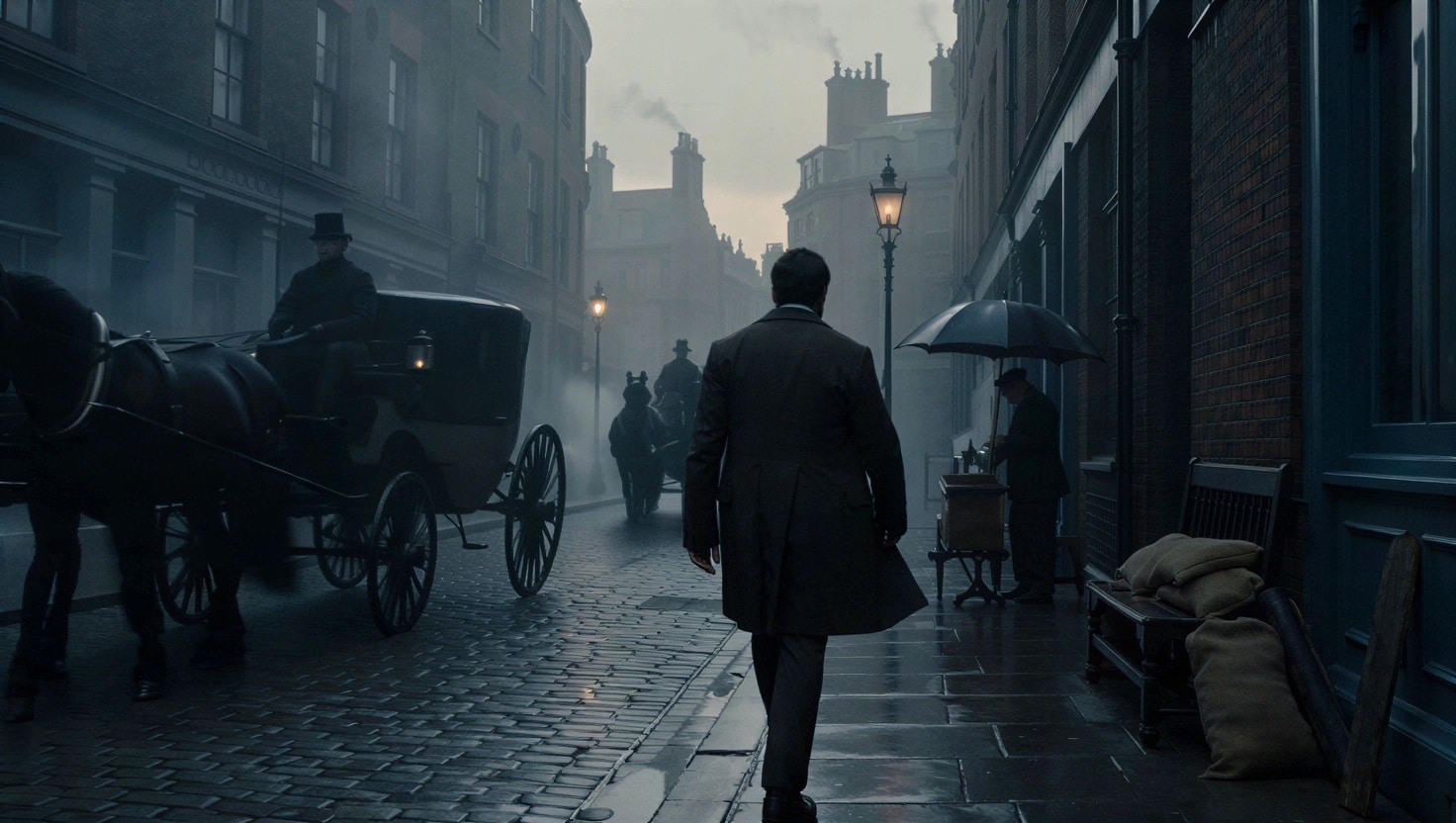
The goal of this article is to make a relative short summary of the best AI video generators which are available in 2026. In this case I can’t list so much free tools (like what I done with AI image generators), because most of the professional AI video generators are simply not free or they have very limited usage / credits / tokens to take a try.
However you can save tokens if you choose the right tool or the fast version of a model. This guide helps to make a good choice.
You can access many of them within an aggregate site like Leonardo.Ai. They continuously integrate the newest and most popular AI models into their app.
Prices and subscriptions
To test these tools I decided to subscribe to Canva Business. I explain why I made this decision.
I had two options:
Option #1: subscribe to the Leonardo.Ai Essential plan.
Option #2: subscribe to Canva Business, because it contains also the access to Leonardo.Ai Essential.
I chose the 2nd option because I already have a Canva Pro subscription and this upgrade is the most budget friendly option for me.
Here is a table with the approximate prices in case of monthly subscription in April 2026:
| Leonardo.ai Essential plan | Canva Business |
|---|---|
| $12 /month | $22 / month |
Canva Pro costs about $16 / month (so this is only a +$6 expense for me).
Tip: if you plan to use Leonardo or Canva for long time, then yearly subscription is a better deal.
If you have done everything correctly, than after Leonardo.Ai login with Canva Account you get this popup message:
And you see in the bottom left corner, that you have 8500 Fast Tokens:

The testing method
I used the same parameters and prompt for all AI video models (edit: if a specific AI video generator model is too sensitive, then some prompt refinement is needed). This uniform testing parameters allow for fair comparison.
The main parameters are:
- 16:9 aspect ratio
- 480p resolution
- generate audio – if this feature is available
- length: 8s – if possible (alternatively 5s)
The prompt
A young man in a dark wool overcoat and waistcoat walks alone through a narrow cobblestone street in Victorian London at dawn. Rain falls steadily, soaking the streets and forming rippling puddles that reflect the dim glow of gas lamps. Horse-drawn carriages pass in the distance, their wheels splashing through the wet road, while faint smoke drifts from nearby chimneys into the cool morning air. He pauses beside a small street-side tea stall, steam rising from a freshly poured cup, and turns to look over his shoulder with a calm, knowing expression. The camera slowly pushes in on his face. Cinematic lighting, shallow depth of field, shot on a vintage 50mm cinema lens, moody and atmospheric.
1. Seedance 2.0
This video generator is available on Leonardo.Ai.
A standard resolution (480p), 8 second video in Seedance 2.0 model costs 1124 tokens, but you have 150 free tokens per day.
Remark: you can save tokens if you use Seedance 2.0 fast model.
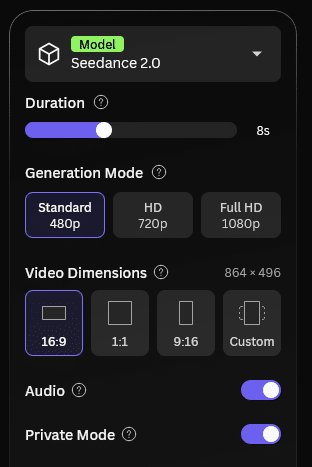
The user interface is easy-to-use:
The Result
First generation was failed due to the strict rules of Seedance. I altered the prompt slightly to this:
A lone figure in a dark wool overcoat and waistcoat walks through a narrow cobblestone street in Victorian London at dawn. Rain falls steadily, soaking the streets and forming rippling puddles that reflect the dim glow of gas lamps. Horse-drawn carriages pass in the distance, their wheels splashing through the wet road, while faint smoke drifts from nearby chimneys into the cool morning air. He pauses beside a small street-side tea stall, steam rising from a freshly poured cup, and turns slightly as if aware of something behind him. The camera slowly pushes forward, keeping his face partially obscured by shadow. Cinematic lighting, shallow depth of field, vintage film lens look, moody and atmospheric, slightly stylized.
The generation took about 460 seconds (almost 8 minutes).
My summary: Seedance in Leonardo.Ai is easy to use. This tool followed my instructions almost exactly. I like the overall mood, the music and sounds. I only miss the visible rain, but the cobblestone is wet and the wheel splashes are also visible.
2. Veo 3.1 Lite
Google’s AI video generator is available in Leonardo.Ai with various models. I selected the 3.1 Lite version, which is a fast, low-cost video generator.
I tried first the original prompt, not the fine-tuned “Seedance-version”.
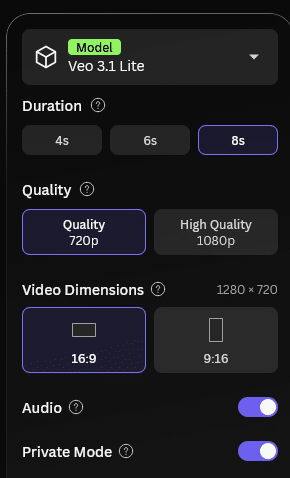
Remark: the lowest resolution is 720p, not 480p, so I generated the video with that quality. The cost is only 400 tokens (standard Veo 3.1 model costs 3200 tokens!).
The video was completed in about 1 minute.
My opinion: you can clearly see, that the image quality is very good, it’s a cinematic video, but thanks to the lite version there are many inaccuracies: the floating cup, the character suddenly turning around, and the lamp appearing out of nowhere. Seedance video has a better vibe.
Maybe I try the accurate model later and update this article, but it’s very expensive (3200 tokens as I mentioned).
Veo 3.1 Lite is ideal for prototyping, but not for production-like movies.
Pros:
- good atmosphere
- visible rain
- veo accepted my first prompt
Cons:
- short generation time comes with inaccurate results and strange errors
- no background music
2. Veo 3.1 Standard
Update: I added a new test. This is the standard Veo 3.1 result (not the lite version).
The rendering time was about 2 minutes.
My short summary about Veo 3.1:
- this video is more accurate, but still has some problems:
- in his right hand an umbrella appears first, but at the tea stall it turns to a cup
- the Horse-drawn carriage emits smoke in the background, not a chimney
3. Runway
This test coming soon.
Unfortunately this video generator is not available in Leonardo.
4. Sora 2
Sora from OpenAI is also a popular video generator. Let’s test what it can do!
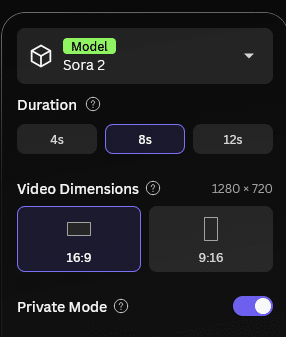
The only resolution for a 16:9 video is 1280 x 720 (HD) as you can see on the image above.
The cost of this generation is 800 tokens. (There is also a Sora 2 Pro model which costs 3x more, 2400 tokens, but we test the standard Sora 2 at this time.)
This video took about 2 minutes to generate.
The overall image quality is good, this is a moody, cinematic video with classical look. I like it. But Sora 2 does not follow the plot: just a very slight turn to the side, he does not stop at the tea stall.
And maybe I should refine the prompt, because I wanted the camera to follow the guy from behind, like in the Seedance video.
Pros:
- very good cinematic visual quality
- even footsteps have a sound
Cons:
- mid or low quality sound
- no music
- Sora did not followed the plot
5. Kling Video 3.0
I decided to use the standard Kling Video 3.0 model, because it is not so expensive and promises strong visual consistency.
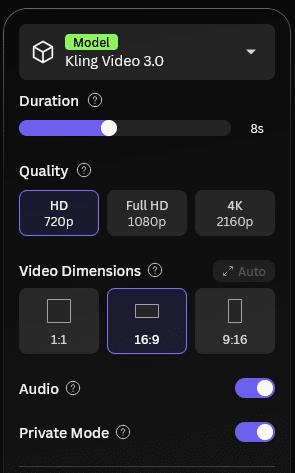
The lowest resolution I can choose is HD.
This video costs 1008 tokens.
Kling needed 270 secs (about 4.5 minutes) to generate this video.
My evaluation: I like the overall mood, colors, the lens type and cinematic look. I also like the implementation of the plot. The “dramatic” pause before he turns back is perfect.
Pros:
- real cinematic look with realistic colors and depth of field
- very realistic result
- good sound quality
Cons:
- no music, but it is possible that you need to ask for this directly in the prompt
6. Hailuo 2.3
I chose the standard model, not the fast.
A big difference to other video generator models that Hailuo can use different visual styles. I tried to align the styles to the vibe of this theme.
See my image for the settings:
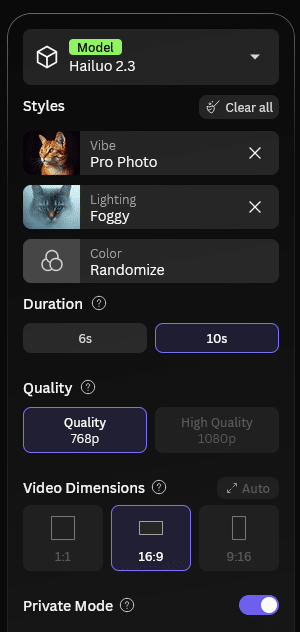
This video costed 224 tokens, so it’s very cost-friendly.
This 10 sec video was about 2 minutes to generate.
This video is a little bit scary, like a shot from a thriller movie. Unfortunately, the gas lamps are not lit. There is no option to generate sound.
Pros:
- a strong, thriller-like mood
- very good image quality
Cons:
- maybe the overall color is too blueish, but the reason can be the Foggy lighting style.
- the cobblestones look like artificial (computer-generated)
- no sound
Summary
My personal favorite is Seedance and Kling. They both gave me the result I wanted. Hailuo is also promising and cost-friendly.
AI video generators are very popular in 2026. You have the choice to select and test your favorite app. The decision is not always easy, because the quality, prompt adherence and token cost is depends on which model and parameters you choose. I hope, that this short article can help you to start with AI videos.
Later, I would like to write an article about the most popular AI video generators separately to give you prompting tips regarding camera movement for example.
I know that other AI video generators existing on the market of course, but I think that these above are way enough to experiment with.
Do you have experience with AI video generators? Share your thoughts in the comment section below.

I also plan to do a test with Veo 3.1 standard model (and include it to this article), but it costs 3200 tokens, so please be patient. 🙂
Update: I added Veo 3.1 standard version to this article below the other Veo test.
Great write-up, thanks for testing these! I have been looking for something that handles longer, more controllable outputs, and VidRush AI (https://vidrushai.com) is one worth adding to the list – it combines images, video, audio and text into multi-modal long videos with consistent characters, and it is free to start. Curious if anyone else has tried it too.
Thank you for the recommended video generator, it’s possible that I will try out!
Seeing the results side by side is the most useful part of this. For image-to-video specifically, I’ve noticed Hailuo 02 and Hailuo 2.3 handle the same start frame quite differently, so I always run one test frame through both before picking. I compare them on Hailuo3, an independent studio that lists several models together.
Thank you for sharing this tip!